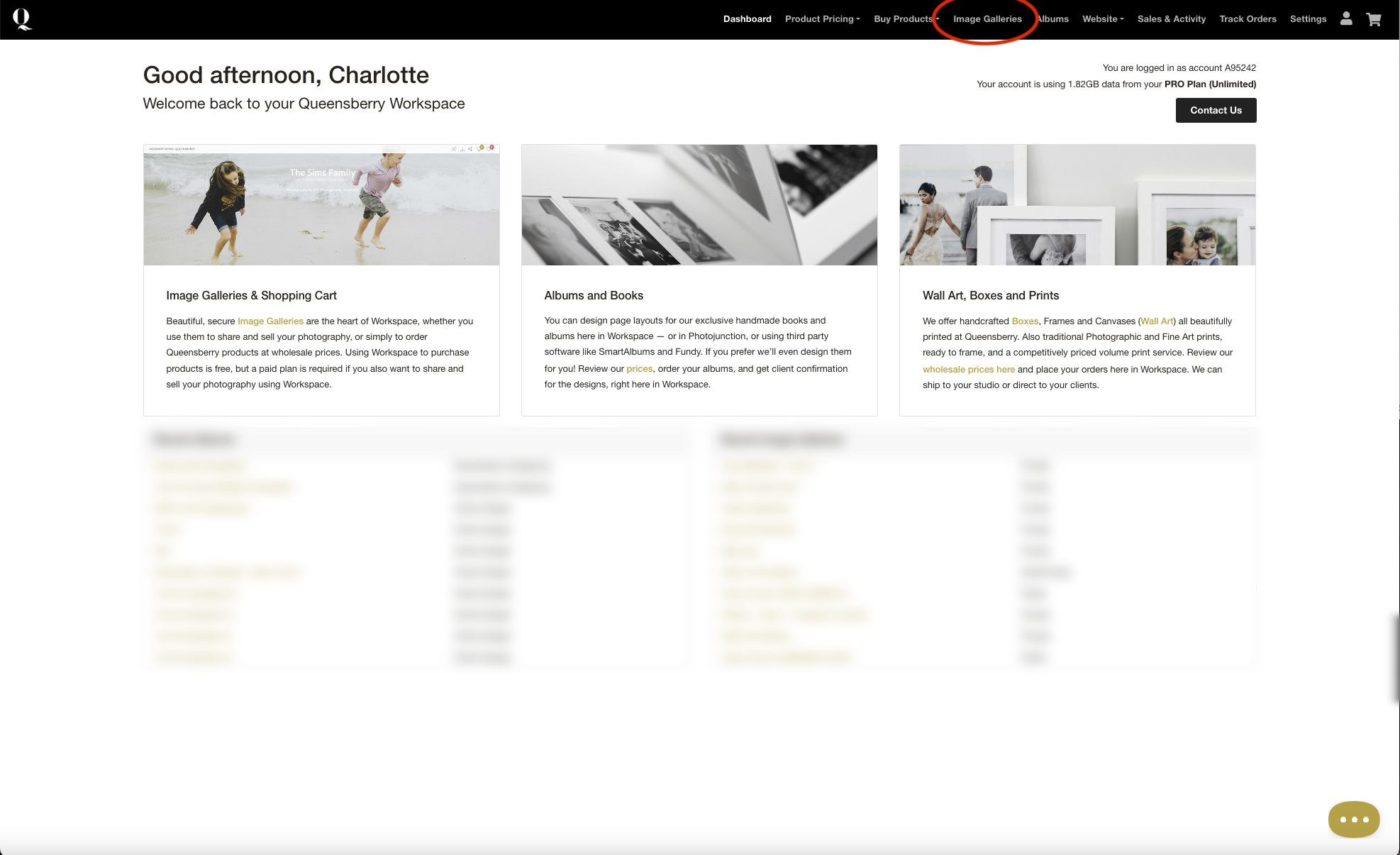
Step 1. Login to Workspace and click ‘Image Galleries’:
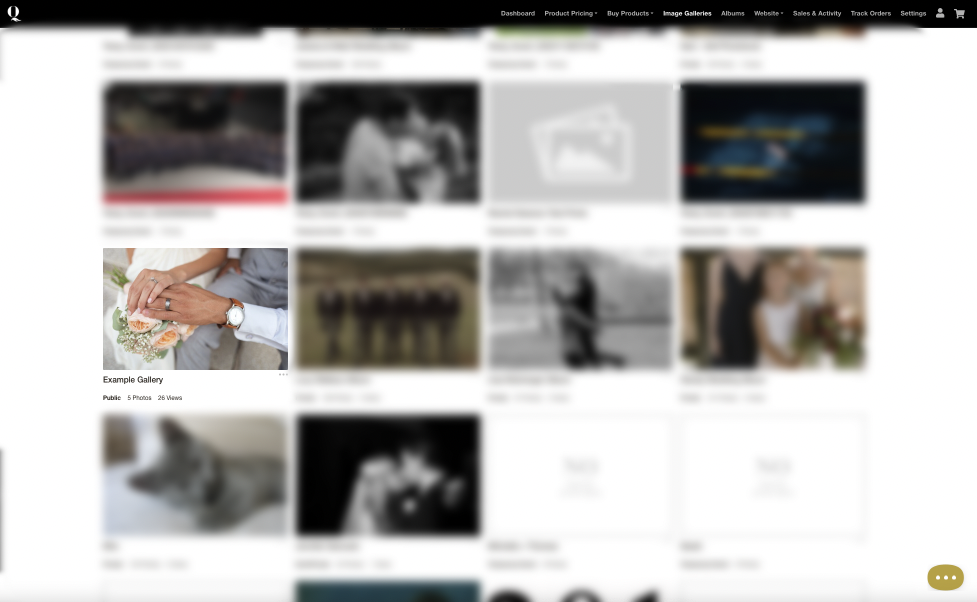
Step 2: Open the gallery that you want to find the favourites for:
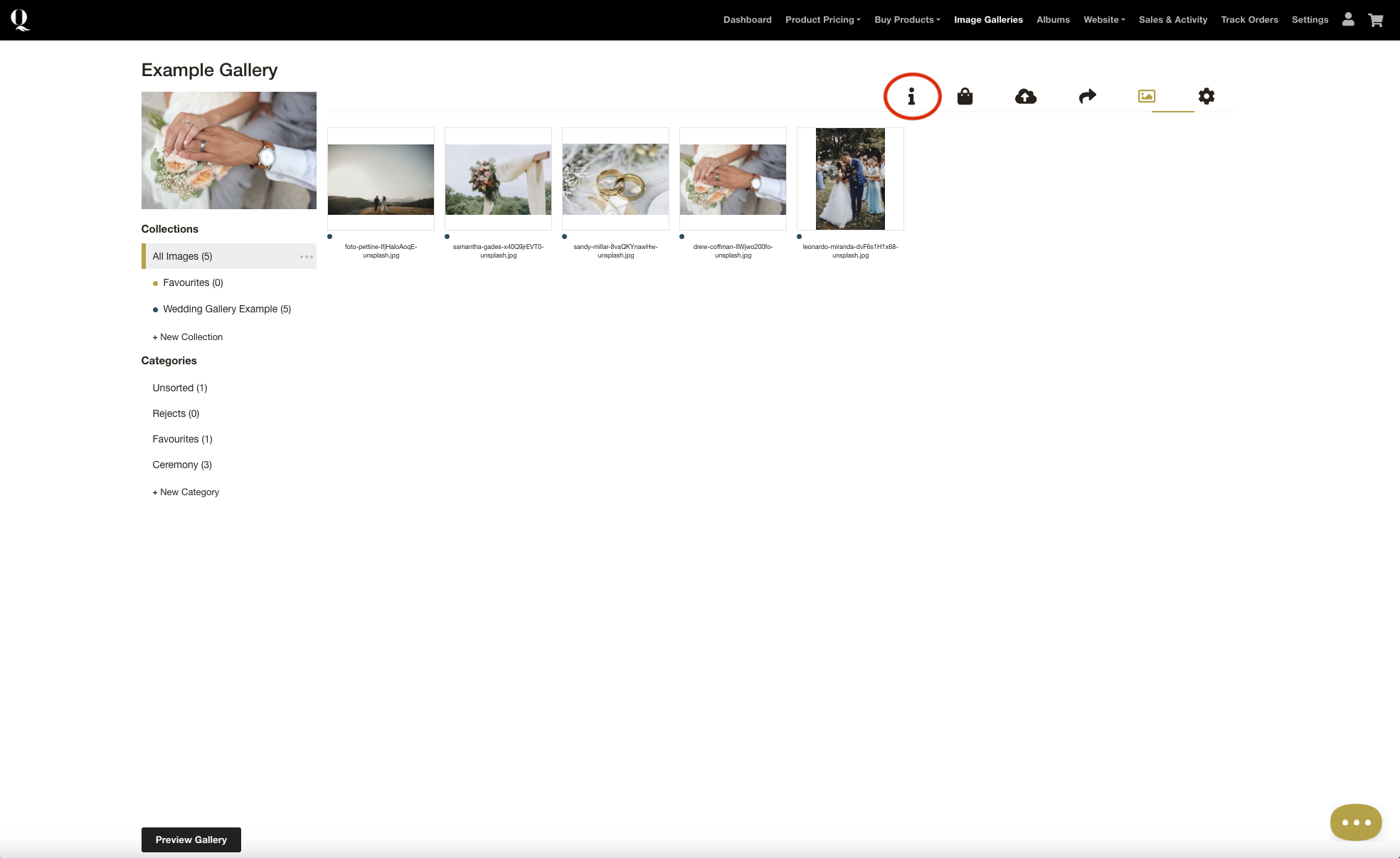
Step 3: Click the client activity ‘i’ icon
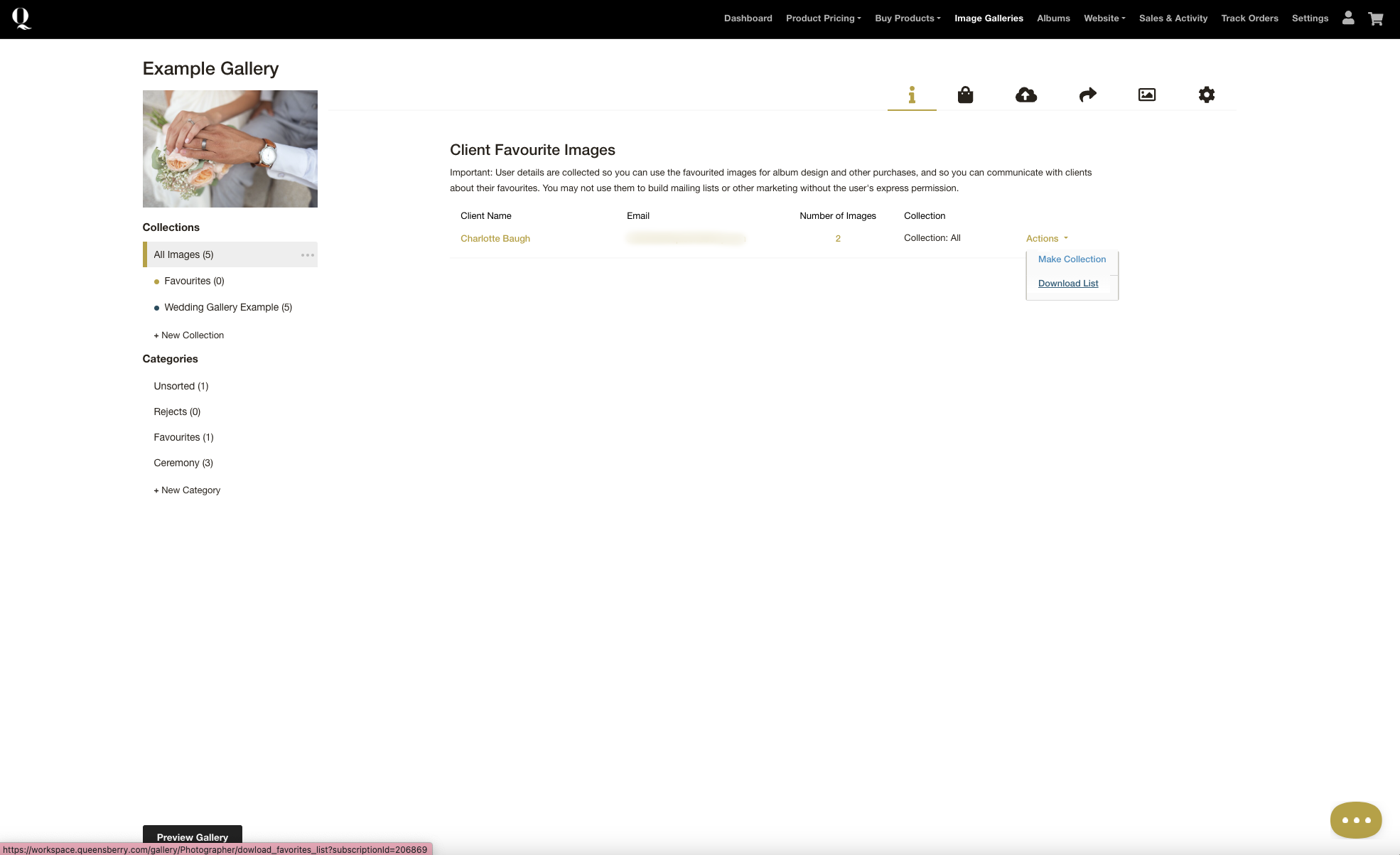
Step 4: Select Client favourite images from the dropdown:
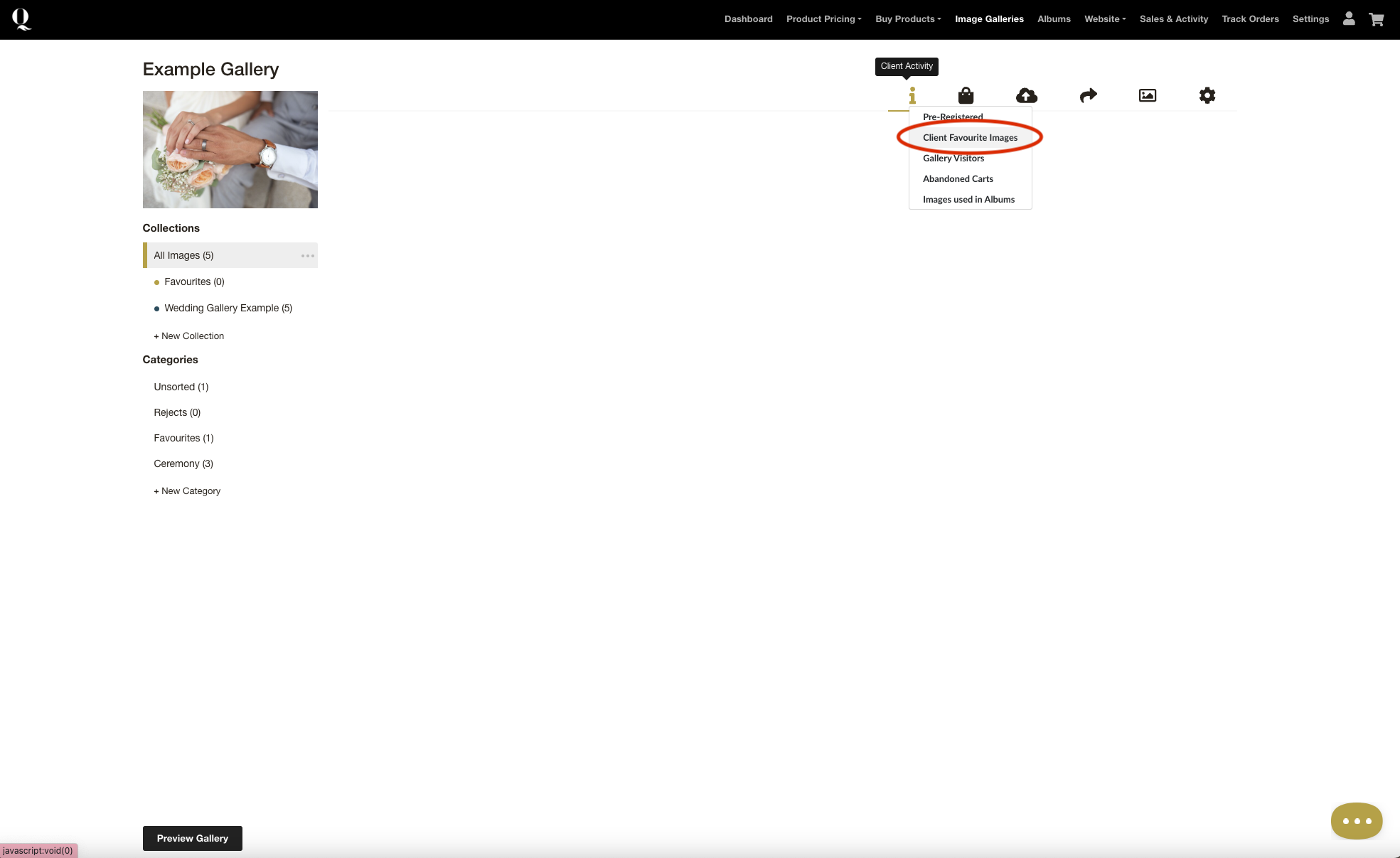
Step 5: You can:
- View the client's favourites by clicking the quantity (under Number of Images).
- Make a Collection of the favourites (under the Actions dropdown menu)
- Download a List of favourites (also under Actions):